Do DIY Mini Splits Come With Smart Controls and Phone Apps?
Many DIY mini splits offer smart controls, but “DIY” does not automatically mean “Wi-Fi included.” Some systems have built-in Wi-Fi and a manufacturer’s phone app; others need an optional adapter, a separate thermostat, or a third-party controller. Even when an app is included, features such as remote temperature changes, schedules, voice control, and energy reporting can vary by model.
That distinction matters if you want to check a garage heater from the house, adjust a bedroom before bedtime, or see whether a vacation property is still warm during a cold snap. Before choosing a system, confirm the exact indoor-unit model, what comes in the box, and which app functions work without extra hardware.
What “DIY mini split” means in 2026
A DIY mini split is a ductless heat-pump system designed so a homeowner can complete specified installation steps without making a conventional refrigerant-line connection. Typically, the indoor and outdoor units connect through pre-charged refrigerant lines with factory-made fittings. That can remove a specialized task from the installation—but it does not turn the entire job into an appliance plug-in.

Depending on the system and local requirements, the owner may still need to mount and secure equipment, drill through an exterior wall, route and support the line set, manage condensate drainage, seal the wall opening, and arrange electrical work. Many outdoor units require a dedicated circuit and disconnect. A licensed electrician may be required or simply the safer choice, especially when new wiring or a panel upgrade is involved. Check local code, permits, and the manufacturer’s instructions before starting.
There are also practical installation details that can affect comfort and appearance. The line set needs a sensible route; excess tubing should not be sharply bent or casually crammed behind the outdoor unit. Coiling extra line set can look untidy and may conflict with the manufacturer’s instructions or minimum-bend requirements. Plan the equipment locations before drilling, and follow the manual for line length, clearances, drainage, and mounting.
“DIY” describes the installation approach, not the controls. A system may be DIY-friendly while its Wi-Fi is optional, limited, or unavailable on a particular indoor-unit configuration.
What smart mini split controls can do
On systems with compatible built-in Wi-Fi or an approved adapter, a mini split smartphone app may let you:
- Change the temperature and operating mode while away from home.
- Set schedules for a bedroom, garage, or other regularly used space.
- Switch between heating, cooling, fan, and automatic operation, where supported.
- Check basic equipment status or receive alerts, depending on the app and model.
- Control multiple indoor units, if the system and account support it.
These functions are useful, but an app should not be mistaken for a full building-monitoring system. Remote monitoring heat pump features differ: one app may show that a unit is running, while another may provide limited fault notifications. Neither necessarily tells you whether a filter needs cleaning, a drain is blocked, or the room is actually comfortable at every point. App access also depends on a working home internet connection, a supported Wi-Fi band, and the manufacturer’s cloud service remaining available.
Ask whether Wi-Fi is built into the indoor unit or requires a separate module. Confirm whether app control works across all zones, whether schedules can be set per zone, and whether there are ongoing fees. If you want voice commands, check the current compatibility list for services such as Google Assistant; support may depend on the model, app version, region, or a linked smart-home platform.
MRCOOL, Zone Air, and Cooper&Hunter: compare the package, not just the app
MRCOOL is well known for mini split heats to -15f DIY-oriented mini split options, and some product configurations provide app-based Wi-Fi controls. Still, do not assume every MRCOOL unit has the same connectivity. Check the exact series and indoor-unit model, and verify whether the Wi-Fi hardware is included rather than sold separately. If researching owner experience, Trustpilot’s mrcool.com reviews can offer one perspective, but reviews are not a substitute for checking warranty terms, installation requirements, or the specific product documentation.
Zone Air may be worth comparing when you are weighing system price, equipment, and installation support. The value tradeoff against MRCOOL depends on the actual quote and the exact products being compared—not the company name alone. Make sure both quotes identify the indoor and outdoor models, included Wi-Fi hardware, line-set provisions, electrical work, accessories, shipping, and warranty coverage. If one option costs less but leaves you to buy a Wi-Fi adapter or hire an electrician separately, the initial price may not reflect the finished cost.
Cooper&Hunter also offers ductless systems, but connectivity and installation requirements vary across product lines. Treat “Wi-Fi ready” as a prompt to ask a follow-up question: does that mean Wi-Fi is installed, an adapter is included, or the unit can accept an accessory? Compare app functions, compatibility, and service arrangements alongside the heating and cooling specifications.
What to compare Why it matters Question to ask Wi-Fi hardware “Smart control” may require an add-on. Is the module included with this exact model? App functions Basic on/off control is not the same as schedules or alerts. What can I control and monitor remotely? Installed cost Electrical work and accessories can change the real price. What is excluded from the equipment quote? Warranty process Coverage may depend on registration, installation, or documentation. What records and steps are required for a claim?Warranty claims are not always effortless. Keep purchase receipts, model and serial numbers, installation records, and any required registration confirmation. Read the warranty before buying, particularly if you plan to install the system yourself or use a contractor for only part of the work.
SEER2, efficiency, and the operating-cost question
SEER2 is a seasonal cooling-efficiency rating under updated test conditions. In general, a higher SEER2 rating means the system can deliver more cooling per unit of electricity across the rating test. It does not guarantee a specific bill reduction in your home. Actual costs depend on local electricity prices, outdoor temperatures, thermostat settings, insulation, air leakage, equipment sizing, and how often the system runs.
A simple estimate can help compare two otherwise similar systems. If you estimate annual cooling use in kilowatt-hours, multiply that figure by your electricity rate. For a rough comparison between ratings, you can scale estimated use by the inverse ratio of the SEER2 values. For example, if one system is rated at 20 SEER2 and another at 16 SEER2, the higher-rated system would use roughly 16/20 as much electricity for the same rated cooling output under simplified assumptions. Real-world performance will not match this ratio exactly.
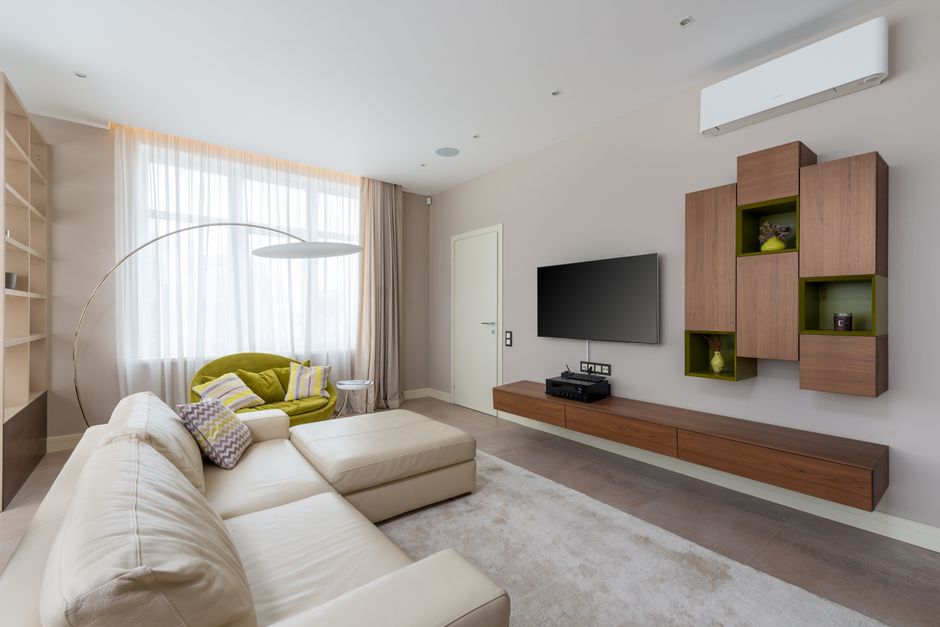
Do not choose a mini split on SEER2 alone. For a bedroom, quiet operation, minimum output, and sensible placement may matter more than a small rating https://daisydustmaid.com/what-size-mini-split-for-a-garage-12k-18k-or-24k/ difference. In a garage, insulation and door leakage can dominate the load; an undersized unit may run constantly, while a badly oversized system can cycle or control humidity poorly. Have the space’s heating and cooling needs assessed rather than relying only on a broad square-footage rule.
Also compare heating performance, not just cooling efficiency. Look at the unit’s rated heating capacity at relevant low outdoor temperatures and its specified operating range. A high SEER2 number does not by itself tell you how well the system will heat a room in winter.
Cold-climate performance and “Hyper Heat” claims
Cold-climate mini splits can provide useful heat below freezing, but capacity generally changes as outdoor temperatures fall. The key question is not simply whether the unit can run in cold weather. It is whether it can deliver enough heat at the design temperature for your location. Check the manufacturer’s capacity tables at low temperatures, the minimum operating temperature, and whether supplemental heat is needed.
“Hyper Heat” is used as a product-line or marketing term in the ductless heat-pump market, and it should not be treated as a universal performance rating. Verify the specific model and its low-temperature output. A system that maintains heating operation at a very low temperature may still deliver less capacity than it does in mild weather.
For a detached garage, cold-weather performance can be especially important because the space may have thin walls, an uninsulated slab, and frequent door openings. For a bedroom, consistent overnight comfort and low sound levels may be higher priorities. In either room, app access can help you adjust settings, but it cannot make an undersized heat pump produce more heat than its specifications allow.
How to check smart-control claims before you buy
- Write down the exact model numbers. Do not rely on a product-family name; controls can differ by series and indoor unit.
- Confirm what is included. Ask whether Wi-Fi hardware, a remote, mounting parts, and any required adapter are in the package.
- Review the app’s real features. Look for scheduling, zone selection, notifications, and remote status—not just the phrase “smart controls.”
- Check smart-home compatibility. If you use Google Assistant, verify support for the specific unit and app, and ask whether a hub or account link is required.
- Price the complete installation. Include electrical work, permits, accessories, line-set routing, and any professional help you plan to use.
- Read the warranty and service terms. Find out what proof is needed for registration or a claim, and who handles troubleshooting.
Bottom line
Yes, many DIY mini splits come with smart controls or offer them as an option—but the app, Wi-Fi hardware, and voice-assistant support are model-specific. Compare MRCOOL, Zone Air, and Cooper&Hunter by exact equipment, included controls, total installed cost, warranty terms, and cold-weather capacity. Then match the system to the room: a bedroom may call for quiet, precise scheduling, while a garage may need stronger low-temperature heating and careful attention to insulation.
For a sound decision, treat the app as a convenience rather than the main performance feature. Confirm the SEER2 rating, check heating output at your local winter design temperature, and make a realistic plan for electrical work and line-set routing. Those details will matter long after the phone screen is set up.